
Docs
Getting started
Everything below applies to every Muto release. Pick your script from the list on the left for its own install, configuration and commands.
Before you install
- A recent recommended FiveM artifact.
ox_libandoxmysqlstarted before our resources — only for the scripts that list them. Props, sky events and Winter Snow need nothing.- Keymaster access on the Cfx.re account you bought with.
Where the files come from
Seconds after checkout the package appears in your Cfx.re Keymaster. There is no key to enter and no manual step. Download it there, and download it again whenever a new version ships.
The one step people miss
After any asset update you must quit the server and reconnect. A resource restart is not enough: FiveM caches stream files such as .ydr, .ytd and .ytyp on the client, so you will keep testing the old asset and think the update failed.
What stays open
Only the core logic is escrow protected. Config files, locales, item lists and meta files ship as plain text and stay editable.
Frameworks & dependencies
Everything here runs on ESX, QBCore or Qbox unless the product page says otherwise. Nothing is locked to one framework: the framework layer is a thin bridge you can read and change.
What every release needs
ox_libandoxmysql, started before our resources inserver.cfg.- A recent recommended FiveM artifact. Older artifacts miss natives some assets rely on.
- Database access for anything that stores records. Tables are created on the first start.
Choosing your framework
Set Config.Framework (or the equivalent key named in that script's config) before the first start. Changing it later is possible, but rank and job keys already written to the database have to match the new framework's naming.
Inventory and items
Scripts that add items ship two ready blocks: a qb-core item list and an ox_inventory data block. On qb-core the items register themselves; on ox_inventory you copy the provided list into your own data files. Both are plain text in the package.
Start order
ensure oxmysql
ensure ox_lib
ensure muto_ocak
ensure muto-yay
Standalone releases (props, sky events, Winter Snow, The Gazer Tendril) can be started anywhere in the list.
After every update
Quit the server and reconnect. A resource restart is not enough: FiveM caches stream files such as .ydr, .ytd and .ytyp on the client, so you keep testing the old asset and think the update failed.
Muto Mobile Command Post — A Trailer That Opens Into A Base
Category: Vanilla | Package: 7772826
A towable trailer that opens into an animated, walk-in building: slide-out room, awning, entry steps, antenna mast, flood lights and a scanning satellite dish. Closing it folds it back into the same vehicle. Current version: 1.4.0.
Requirements
- OneSync and
ox_lib. - Optional:
ox_targetfor the keypad, stashes and seats. Without it the unit opens with an E prompt and stashes and seats are not available. - Optional:
ox_inventoryorqb-inventoryfor the stashes. - Qbox, QBCore, ESX or standalone — detected automatically.
Install
- Put
snowy_mcpin your resources folder. - Add the start lines after ox_lib and your framework.
- Spawn a trailer with your own garage or admin system, like any vehicle. Five variants:
snowy_mcpv(command post),snowy_mcpv_home(holiday trailer),snowy_mcpv_zombi(survival camp),snowy_mcpv_meth(backroad chemistry) andsnowy_mcpv_lab(field research lab). - Qbox only: add the five trailers to
qbx_core/shared/vehicles.lua(ready-made lines are in the package README) and restart. Otherwise every spawn printsNo vehicle type found for model.
ensure ox_lib
ensure qbx_core        # or qb-core / es_extended
ensure snowy_mcp
Using it
- Target the keypad beside the door (or stand next to the trailer and press E without ox_target) to open, close or change the code.
- A trailer without a code takes the first 4–6 digit code a player sets, stored per plate. Players with access never need the code.
pin.enabled = falseinconfigs/shared/main.luaturns codes off. - The trailer has to be stopped and unhitched first. To tow it, reverse a tow ball onto the coupler and it hitches itself.
- Closing is blocked while anyone is inside. Lockers, cabinets and crates open as stashes (one per plate and container); seats can be sat on.
Configuration
configs/server/main.lua—framework(auto,qbox,qbcore,esx,standalone),access.jobs(jobName = minimumGrade),access.jobTypes,access.requireOnDuty,access.acePermission,interactDistance,maxDeploySpeed,cooldown.configs/shared/main.lua— the PIN rules and, per variant, thestorageandseatslists.- Texts ship in English and Hungarian.
Good to know
While the unit is open the vehicle waits in a hidden routing bucket, so plate, owner and garage stay the same. Hooks before and after deploy and retract (cancellable with a reason) and exports for open units are described in the package README.
Muto Winter Snow — Whole-Map Snow, No Slippery Roads
Category: Vanilla | Package: 7696032
Turns the whole map white for winter — terrain, grass, sidewalks, flat roofs, trees and palms, every LOD level out to the horizon — while asphalt, lane markings and water stay clean and roads never get slippery. It is a texture swap, not the game’s snow weather. Current version: 1.0.0.
Requirements
- No framework and no database — QBCore, Qbox, ESX or standalone.
Install
- Put
muto_kar(andmuto_kar_sesfor the winter season) in your resources folder. Do not rename the folders. - Add the start lines and the admin ace.
- Restart, then reconnect — streamed files are not refreshed by a resource restart.
ensure muto_kar
ensure muto_kar_ses
add_ace group.admin muto_kar.admin allow
Commands
Admin only (ACE muto_kar.admin); the console always works. The mode is server-authoritative and applies to every player, including late joiners.
/snow on— snow always on/snow off— snow off/snow auto— snow follows the synced weather (XMAS, SNOW, SNOWLIGHT, BLIZZARD)/snow status— shows the current state
Server exports: exports.muto_kar:SetMode('on'|'off'|'auto'), exports.muto_kar:GetMode().
Footstep sound
muto_kar_ses changes outdoor footsteps to the game’s snow steps. It loads with the audio data when a player connects, so it cannot be switched with /snow: ensure it for the winter season and remove it in spring.
Configuration
Everything is in config.lua: StartMode, AutoWeathers, GripFactor (nil keeps vanilla grip), Icicles and IcicleRadius, Tracks, SnowDust, Locale (en / tr) and the streaming budget per frame.
Performance and limits
- Snow textures take about 130 MB and load over a few seconds when snow turns on.
- Icicles load only within
IcicleRadius(150 m) and cast no shadows. - Close-range parallax ground can stay green up close; roofs that share a texture with walls stay unsnowed.
- Ground material does not change — tyre grip and physics stay as without snow.
Muto Ocak — Medieval Campfire Cooking
Category: Survival | Package: 7658670
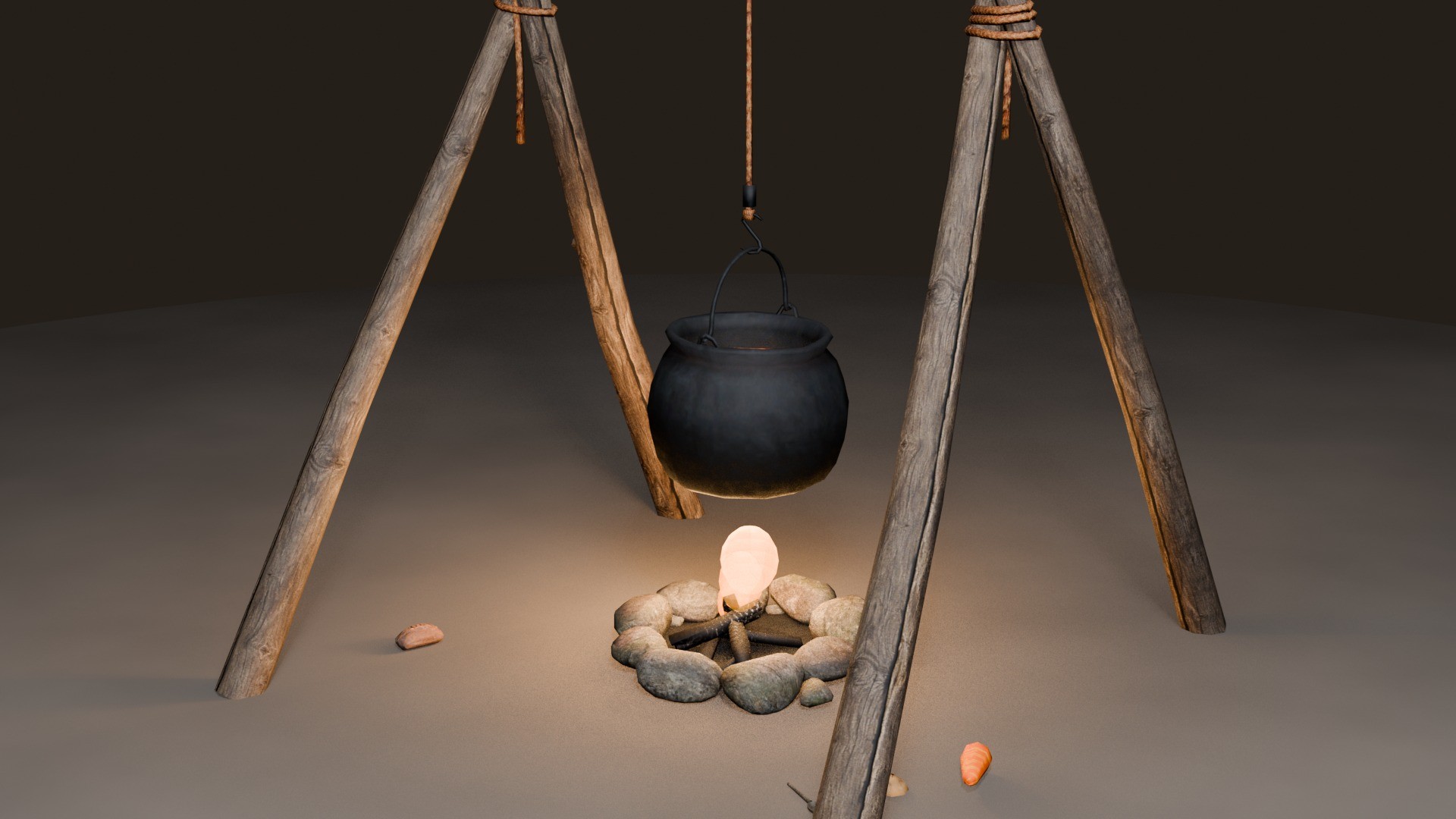
A campfire you actually have to tend: build it, feed it, light it with flint, hang a vessel over it and cook food that sits in the pot as real props. Current version: 1.1.0.
Requirements
oxmysqlandox_lib, started first.qb-coreorqbx_core, withqb-inventoryorox_inventory.ox_target.
Install
- Extract
muto_ocakinto your resources folder. - Database: nothing to run — the tables are created on the first start (
sql/kurulum.sqlis included if you prefer to create them by hand). - Items (72): on qb-core / qb-inventory they register themselves at start. On ox_inventory paste
kurulum/items_ox_en.luaintoox_inventory/data/items.lua— keep theclient.eventline ofkamp_atesi. Missing items are listed in red in the console. - Copy
images/*.pnginto your inventory’s image folder (qb-inventoryhtml/images/, ox_inventoryweb/images/). - Add the start lines and reconnect — the package ships 110 custom models, a restart alone shows the old cache.
ensure oxmysql
ensure ox_lib
ensure muto_ocak
add_ace group.admin muto_ocak.admin allow
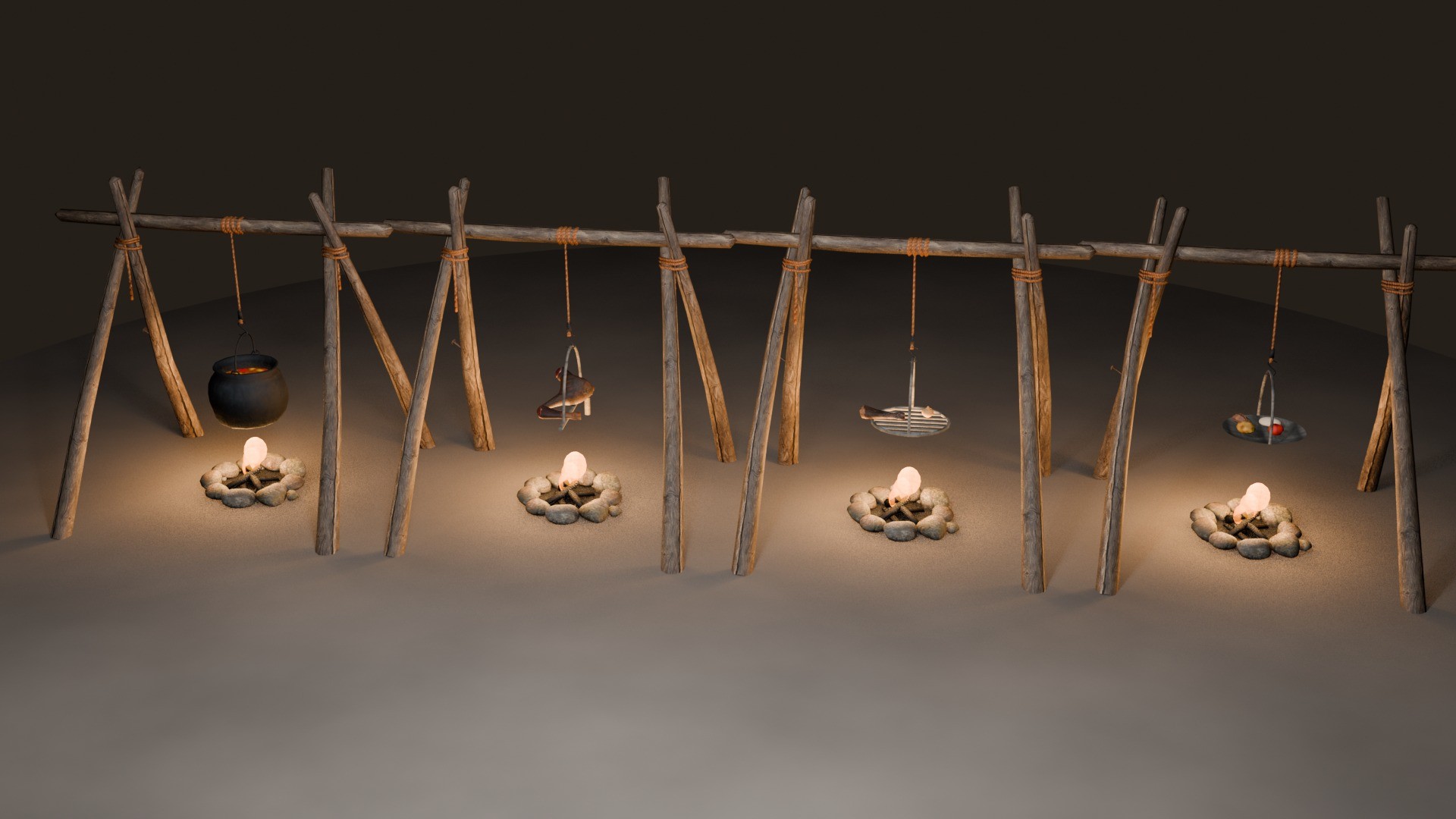
The four vessels
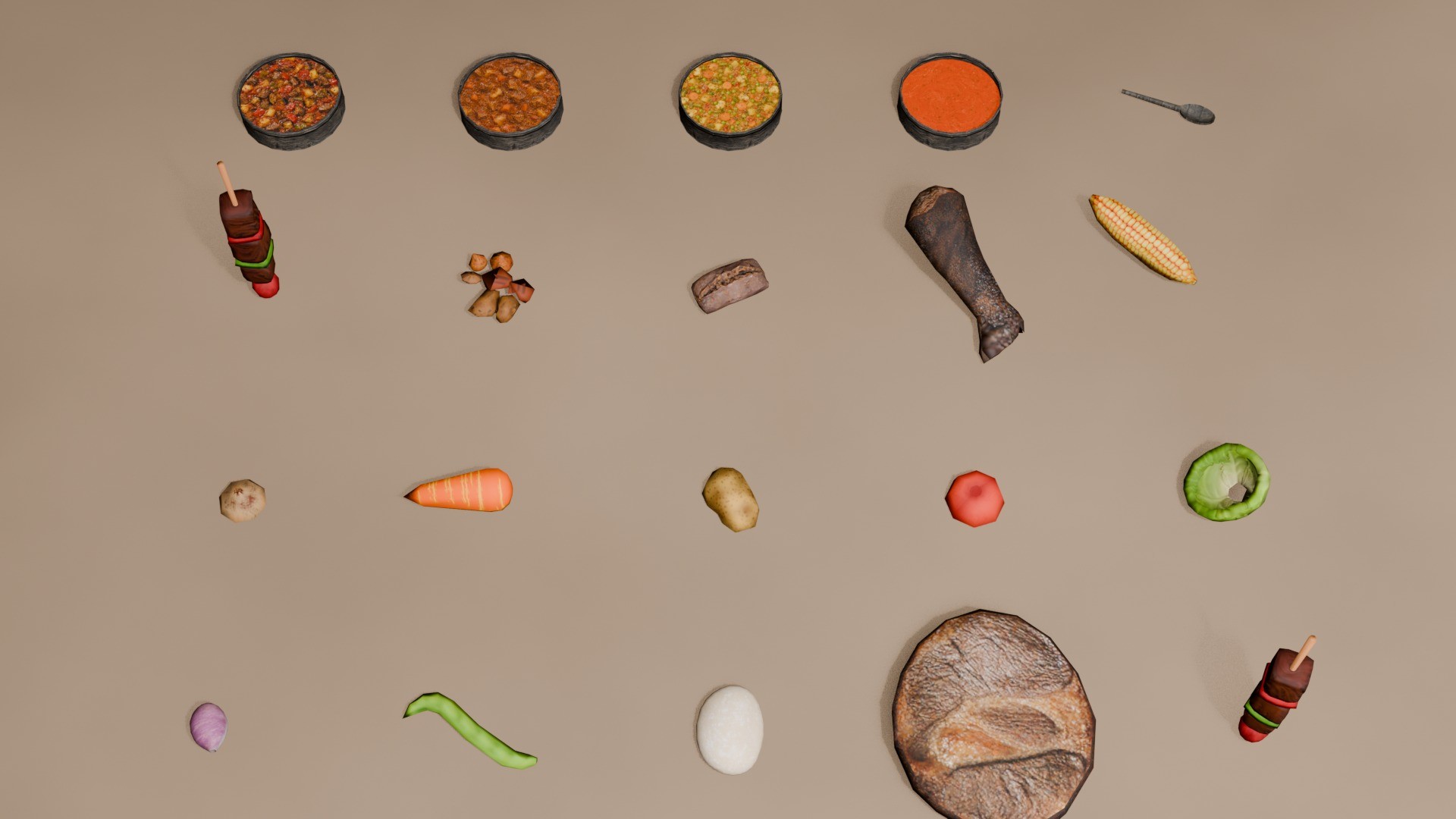
Cauldron is stirred, spit is turned, griddle stone takes one timed flip inside a 42–58% window, iron pan is shaken. The same ingredient becomes a different dish depending on the vessel.
Cooking rules
- Ember level gates every vessel; each one has its own threshold.
- Care drops while cooking; below the threshold the dish starts to burn.
- Every dish comes out raw, undercooked, perfect or overcooked — the doneness class sets how much hunger and thirst it restores.
- On spit, griddle and pan each piece cooks in its own slot with its own flip window.
Recipe book
Cauldron recipes are discovered. The first time a character cooks a recipe and takes the dish, it is written into their book with its ingredients; unknown recipes show as ??? Unknown recipe with the number of ingredients they need. Saved per character in MySQL. Starting recipes: Config.TarifDefteri.baslangic; set aktif = false for the 1.0 behaviour (every recipe visible).
Grinding, dough and bread
Use wheat from the inventory to grind it on a hand mill (2 wheat → 1 flour), use flour with water to knead dough, and bake the dough into bread in the pan. An optional water mill (Config.Ogutme.Degirmen) doubles the flour.
Shared meal
When two or more players eat within 8 m of each other inside 90 seconds, each gets +35% hunger/thirst, +10% per extra person, capped at +75%. Decided on the server from real positions. Tune it in Config.Sofra.
Admin commands
Need the muto_ocak.admin ace; the console always works.
/ocakdefter <id> hepsi|sil— teach every recipe / wipe a recipe book/ocaklar · /ocaksil · /ocaktemizle— list / delete one / delete all fires/ocakdurum · /ocakitem— system health · re-register items
Configuration and language
Recipes, timings, thresholds and every string are open. The script ships in Turkish and English; set Config.Locale and the whole HUD follows. Debug commands stay off unless setr muto_ocak_debug 1.
Bone Throne — Ossuary Statue Prop
Category: Map | Package: 7688170
A hand-finished ossuary throne — a seated figure on a pile of bones and skulls with a fan of femurs rising behind it — in three finishes. Current version: 1.0.0.
Requirements
- No framework — QBCore, Qbox, ESX or standalone.
ox_targetorqb-targetonly if you want an interaction.
Install
- Drop
muto_bonethroneinto your resources folder. - Add the start line and the placement ace.
- Fully disconnect and reconnect — a resource restart does not re-stream new assets.
ensure muto_bonethrone
add_ace group.admin muto_bonethrone.place allow
Placing a throne
Stand where the throne should be, facing the way it should face, and run /bonethrone_here. The server console prints a ready line for Config.Placements in shared/config.lua. Coordinates are read from your ped on the server, so the command cannot be spoofed.
Three finishes
muto_bonethrone— clean ivorymuto_bonethrone_aged— weatheredmuto_bonethrone_raw— near-black, for lit interiors
Spawning it yourself: use CreateObjectNoOffset — the pivot sits on the base. The .ytyp is requested by the manifest, so the archetypes are ready for any .ymap.
Configuration
shared/config.lua and locales/ stay open: Config.Locale, Config.SpawnDistance, Config.ScanInterval, Config.Freeze, Config.Target (ox_target / qb-target / false) and Config.Placements, with an optional interaction per throne. With no placement nearby the resource sits at 0.00 ms.
Muto Stained Glass — 33 Windows with Projected Light
Category: Map | Package: 7670656
33 stained glass window props. Every window carries its own spot light with a projected texture baked into the model, so the coloured pattern of that window falls on the floor in front of it. Current version: 1.0.0.
Requirements
- No dependencies, no framework, no config file. GTA V Legacy (Gen8) build.
Install
- Drop the
muto_vitrayfolder into your resources folder. - Add the start line.
- Restart the server, then fully quit and rejoin — a stream resource is not picked up by a restart alone.
ensure muto_vitrayPlacing the windows
Mappers: load stream/muto_vitray.ytyp into CodeWalker and place the archetypes into your .ymap — the .ytyp stays readable for exactly this. From a script: request the model and create it with CreateObject; the pivot is X/Y centre with Z at the bottom of the frame, so the Z you pass is the floor level of the window. Model names are listed in the package README.
Good to know
- The light is on 24/7 and reads best in dark interiors.
- No LOD chain — these are interior and close-range props.
- Box collision on every window; models and textures are escrow protected.
The Glade — Amputee
Category: Apocalyptic | Package: 7779245
An amputee set for freemode characters. A usable crutch item (wooden or aluminium forearm crutch) puts the player in a missing-leg look, puts the crutch in their hand and switches them to a limping walk. Use the item again to put the crutch down and get the old clothes and walk back. Current version: 1.0.0.
Requirements
ox_lib.qb-coreorqbx_core.ox_inventoryorqb-inventory.- Freemode peds only (
mp_m_freemode_01,mp_f_freemode_01).
Install
- Put
muto_amputein your resources folder. Do not rename it. - ox_inventory: paste
install/ox_inventory_item.txt(two items) intoox_inventory/data/items.luaand restart ox_inventory. qb-inventory: the items register at start. - No item images are shipped: add
koltuk_degnegi.pngandkoltuk_degnegi_modern.pngto your inventory images. - Add the start lines.
- Give the item with your inventory's give command — there is no crafting recipe. The names are
koltuk_degnegi(wooden) andkoltuk_degnegi_modern(forearm). - Players already connected must reconnect after the resource starts — the clothing collection loads only on connect.
ensure ox_lib
ensure qbx_core            # or qb-core
ensure ox_inventory        # or qb-inventory
ensure muto_ampute
Configuration
No command, no export, no SQL. config.lua is open: Config.Locale ('en' or 'tr'), Config.Degnekler (the crutch items — name, model, label, weight, optional own attach offsets), Config.YoklamaSn (how often the server checks the player still owns the item), Config.Varyant (leg looks), Config.Clipset (limping walks) and Config.KosuKapali (limit to walking while active).
Good to know
- The pack replaces the lower-body and feet drawables while active. The limp has no run animation, so sprinting is capped.
- Crutch offsets are fitted for the two shipped models; for another model set
ofseton itsConfig.Degneklerentry. - If the item leaves the inventory, the look is removed by itself.
The Glade — Chat
Category: Apocalyptic | Package: 7779235
A server-controlled roleplay chat: ME / DO / OOC channels with distance, an admin channel, overhead speech bubbles, timed system announcements, chat mini-games (dice, rock-paper-scissors, coin, cards, guessing) and Discord logs. Range, cooldown, permissions and random results are all decided on the server. Current version: 1.0.0.
Requirements
ox_libandqbx_core(orqb-core) for the character name.- Optional: a Discord webhook for logs.
Install
- Put
muto_chatin your resources folder. Do not rename it. - Add the start lines.
- Stop any other chat resource (the default
chat,qb-chat…). Third-party resources keep working:muto_chatanswers the standardchat:addMessage,chat:addSuggestionandchat:clearevents. - Put your webhooks into
server/config_sv.lua, then restart the server.
ensure ox_lib
ensure qbx_core
ensure muto_chat
setr ox:locale en                   # en | tr
add_ace group.admin muto.dev allow  # admin channel, /clear hepsi
Commands
- Players — T opens the chat;
/me,/do,/ooc; the games/zarat,/dnd,/tkm,/yazitura,/kura,/sayi,/kart,/tahmin;/yenile,/clear,/chatyardim. - Admins (ACE
muto.dev) —/adminchator/ac,/clear hepsi, and/ame//ado[id] [text] to send an ME or DO as another player.
Configuration
config.lua(downloaded by every player) — message length and cooldown, default mode, channel order, panel position, text and bubble size sliders.server/config_sv.lua(server only) —Config.DiscordLogsper channel, and the resource lists allowed to call the server exports.- Never put a webhook in
config.lua— that file is sent to every player. Webhooks ship empty and disabled.
Exports
Server AdminBildir(text) and OyuncuAdina(adminSrc, targetSrc, 'me'|'do', text) answer only the resources listed in server/config_sv.lua. Client AddMessage(message) and OpenChat(mode). There is no database; the admin history lives in memory.
Good to know
The NUI loads the Cormorant Garamond font from Google Fonts, so players' clients contact fonts.googleapis.com; host the font locally if that matters for your privacy policy. Discord logs contain player identifiers when enabled. A few command argument words such as tas|kagit|makas are Turkish in both languages.
The Glade — Corpse System
Category: Apocalyptic | Package: 7779228
Corpses for QBCore and Qbox. When a character suffers permanent death (CK), a body with the character's own clothes and full inventory is left where they fell. Others can search it, carry it, drag it and bury it. A body left to rot makes everyone around it sick, and the sick zone grows with time. Current version: 1.0.0.
Requirements
ox_lib,oxmysql,ox_inventoryandox_target.qb-coreorqbx_core.- The Glade — Death Screen (
muto_deathscreen) is the CK source. Without it no corpse is created automatically; your own script can still create one with theOlusturexport. illenium-appearancereads and applies the clothes; without it the corpse wears the default model.muto_ocakis needed to cook and eat human meat.- Optional:
muto_yetenek(traits and butchery skill),muto_hud(blurred vision),muto_ciftlik(animal sickness),muto_ampute(hides a cut limb) and a maze resource that publishesGlobalState.mazeHalka.
Install
- Install the requirements and Death Screen first.
- Put
muto_cesetin your resources folder. Do not rename it. - Add the three items from
install/items.txttoox_inventory/data/items.lua: raw and cooked human meat, and the coarse clothcloth. If you already have a cloth item, skip it and setConfig.Kiyafet.bezto its name. - Add the start lines. The tables
muto_cesetandmuto_yamyamare created automatically;install/kurulum.sqlis only for databases whose user cannot CREATE or ALTER. - The cut animation and the audio bank load when a player joins: after installing or updating, players must leave and rejoin. After an update run
refreshbeforeensure muto_ceset.
ensure ox_lib
ensure oxmysql
ensure qbx_core            # or qb-core
ensure ox_inventory
ensure ox_target
ensure muto_deathscreen
ensure muto_ceset

setr ox:locale en          # en | tr
add_ace group.admin muto.dev allow
What players can do
- Search the body (ox_target) and take its stash.
- Carry it on the shoulder or drag it; S pulls, A / D turn, X puts it down.
- Bury it with a shovel — 60 s alone, faster with up to 4 diggers. The items are buried with the body.
- Cut a limb off with a knife, tear the clothes into cloth, and eat human meat — with trauma, addiction and the permanent tremor called kuru as the price.
Configuration
config.lua is open: Config.CizimMesafe (draw distance, 80 m), Config.Depo (stash size), Config.Tasima (carry and drag), Config.Gomme (burial time, helpers, tools), Config.Kiyafet (cloth tearing) and Config.Labirent — corpses left outside the Glade are swallowed when the maze moves; set acik = false if you have no maze.
Good to know
Corpse peds are local on every client, so there is no networked entity and no ownership problem. Admin tools list, teleport to, move and delete corpses and recover their items.
The Glade — Crafting
Category: Apocalyptic | Package: 7779240
Config-driven crafting stations with a NUI recipe menu. Server-authoritative: materials are checked and removed on the server, the craft time is verified, and everything is rolled back if the reward cannot be given. Current version: 1.0.0.
Requirements
ox_lib.qb-coreorqbx_core.ox_inventoryorqb-inventory.- Optional:
ox_targetfor prop interaction.
Install
- Put
muto_craftin your resources folder. The name must staymuto_craft— the resource stops itself otherwise. - ox_inventory: paste
install/ox_items.txtintoox_inventory/data/items.luaand copy the PNG icons. qb-inventory: nothing to do — the items register at start. - Add the start lines, then edit
config.lua(station coordinates, recipes) and restart the resource.
ensure ox_lib
ensure muto_craft
add_ace group.admin muto.dev allow      # only for the admin command
Configuration
config.lua, server/config_sv.lua and locales/*.json stay open.
Config.FrameworkandConfig.Inventory— automatic (Qbox →qbx+ ox, QBCore →qb+ qb-inventory); write the values to force them.Config.Locale—'en'or'tr'.Config.Stations.<id>— label, coords, radius, prop, marker, blip and the list of recipe ids.Config.Recipes.<id>— output item and amount, category, times, animation and ingredients. The output item and every ingredient must exist in your inventory; a missing item only shows up as "materials missing".Config.Logs— failure and error logging. The webhook URL goes inserver/config_sv.lua, never inconfig.lua.
To add a recipe, add it to Config.Recipes and put its id in a station's recipes list. To add a station, copy the craft_table block under a new id with new coordinates.
Good to know
- The default recipes and the station are built for a survival setting (wood, twine, straw, herbs). The default station is the vanilla workbench in Sandy Shores. Replace the recipes with your own items; the bow, arrow and torch recipes output items you must define yourself or remove.
- Command
craftitem(console, or ACEmuto.dev) re-registers the items with qb-core. Carry capacity is only checked on the ox_inventory path. - Optional
muto_yetenekhooks reduce materials and time and give craft XP (Config.ClassIntegration).
The Glade — Death Screen
Category: Apocalyptic | Package: 7779234
A Maze-themed death screen and bleed-out system for QBCore and Qbox. No panel and no clinical read-out: the world stays visible, the timecycle darkens as time runs out, and two lines of text tell the player what they feel and can do. Downed players bleed out in real time; if nobody saves them they suffer permanent death (CK) and the character is locked. Current version: 1.0.0.
This resource owns the bleed-out and the permanent death only. Reviving is done by your medical resource or by any script that calls the exports KanamaVar and KanamaUzat.
Requirements
ox_libandoxmysql.qb-coreorqbx_core.qbx_medicalorqb-ambulancejob— the resource that puts players down and revives them.- Optional:
ox_target(carrying a bleeding player),muto_chat(admin notices),muto_multicharacter(sends the player straight to character creation after CK),muto_ceset(leaves a corpse with clothes and inventory),muto_yetenek(first-aid kit and bandage use the bleed-out exports).
Install
- Install the requirements.
- Put
muto_deathscreenin your resources folder. Do not rename it. - Add the start lines.
- Read
config.lua. The defaults are hard: a downed player who is not helped within 20 minutes loses the character for good. TuneConfig.Kanamabefore you go live. - The tables
muto_kanamaandmuto_ckare created automatically;install/kurulum.sqlis only for databases whose user cannot CREATE TABLE. - The resource registers its own audio bank. After installing or updating, players must fully disconnect and reconnect; after an update run
refreshbeforeensure muto_deathscreen.
ensure ox_lib
ensure oxmysql
ensure qbx_core            # or qb-core
ensure qbx_medical         # or qb-ambulancejob
ensure ox_target           # optional
ensure muto_deathscreen

setr ox:locale en          # en | tr
add_ace group.admin muto.dev allow
Configuration
Config.NuiFocus— must stay false; true locks the mouse.Config.Kanama.sureSn— seconds from falling to CK (1200).sargiEkSnandsargiHak— bandage: extra seconds (600) and uses per fall (1).Config.Kanama.kacisMesafeand related — escape detection: a bleeding player who stands up far from where they fell (hospital,/respawn) is put back down and the timer continues.Config.Tasima— carrying;Config.Timers, texts and the shout rules are in the same file.
Admin tools
/ckgeri <citizenid>— reverts a CK: unlocks the character, clears the dead and downed flags and puts it back in its slot, if the slot is still free./cesetolustur <id or citizenid>— confirms the CK of a bleeding character now instead of waiting for the timer./kanamasil <id or citizenid>— deletes a stuck bleed-out record and revives the player.
Admins are notified when a player goes down and when a corpse is left or could not be created. The replies of these commands are written in Turkish.
Good to know
The bleed-out timer is stored in the database, so logging out does not save a downed player. On CK the character is archived, not deleted, and the slot is freed.
The Glade — HUD
Category: Apocalyptic | Package: 7779233
A status HUD that players customise themselves with /hud: health, hunger, thirst, energy and voice range indicators that appear only when they matter, a vehicle HUD, and screen effects. The choice is saved per character. Current version: 1.0.0.
Requirements
ox_libandqbx_core(orqb-core). It works on its own — no other Muto resource is needed.- Optional:
pma-voice(voice range, radio) andLegacyFuel(fuel; otherwise the native fuel level is used). - If other Muto resources run, the HUD shows their badges (fractures, reactions, changing, death); without them those badges simply do not appear.
Install
- Put
muto_hudin your resources folder. Do not rename it. - Add the start lines and disable any other HUD (
qbx_hud,qb-hud…) to avoid double indicators. - Restart the server.
ensure ox_lib
ensure qbx_core
ensure muto_hud
setr ox:locale en      # en | tr
Commands
/hud— opens the settings drawer: six presets (Glade, Slim, DayZ, Vertical, Seal, Classic), shape, icons, colours, scale and drag-and-drop position./hudhepsi(default key TAB) — show or hide every indicator. TAB clashes with inventory keys on many servers; rebind it in the GTA key bindings or changeConfig.Gosterge.hepsiTus./maze_seatbelt(default key B) — seatbelt, in vehicles only (motorcycles and bicycles excluded).
There are no admin commands and no database; settings live in the character metadata (hudAyar).
Configuration
config.lua is open: refresh intervals, Config.Show* toggles for armour, minimap, money, location, server id, stress, stamina, poison and temperature, Config.SpeedUnit (kmh or mph), Config.Colors, Config.Efekt (screen effects) and Config.Gosterge (thresholds, row cap, presets).
Notifications (optional)
The HUD exposes a client export bildir({ title?, description, type, duration?, position?, id?, icon?, iconColor? }) that shows a notification card (info, success, error, warning; at most 5 cards at once). To route lib.notify through it, change the SendNUIMessage call in ox_lib/resource/interface/client/notify.lua as described in the package README. An ox_lib update overwrites that file, so repeat the change after updating.
Good to know
Microphone loudness cannot be read in FiveM, so the voice wave follows range, not loudness. The poison and temperature indicators need another system to fill their metadata keys and are off by default.
The Glade — Loading Screen
Category: Apocalyptic | Package: 7779237
A full-screen Maze-themed loading screen with a live progress bar, the real loading state FiveM reports, rotating tip cards, story lines and optional looping music. Current version: 1.0.0.
Requirements
- No other resource is needed.
- Something must close the loading screen. The manifest sets
loadscreen_manual_shutdown 'yes', so the screen stays until a resource callsShutdownLoadingScreenNui().qbx_coreand The Glade — Multicharacter both do. If your character-selection script does not, players get stuck: add the call to it, or delete theloadscreen_manual_shutdown 'yes'line fromfxmanifest.lua.
Install
- Put
muto_loadingin your resources folder. Do not rename it. - Add the start line.
- Optional music: put your own MP3 at
html/assets/music.mp3. No music file is shipped; without it the screen works silently. - Reconnect to see it — a resource restart does not show it.
ensure muto_loadingConfiguration
There is no Lua config and no command, export or database. Edit the files directly: html/script.js (every text, the tips tip1–tip8, story lines, music volume, default language in pickLang()), html/index.html (layout, audio source), html/style.css (colours) and html/assets/maze-bg.jpg (background).
English is the default; add ?lang=tr to the loadscreen URL or change pickLang() for Turkish. ox:locale is not used here.
Good to know
The tip cards describe the original Glade server's rules (ESC menu, fire and food, night maze, fractures) — rewrite them for your server. The "NOW" panel shows players the names of the resources being loaded.
The Glade — Multicharacter
Category: Apocalyptic | Package: 7779232
A Maze-themed character screen for QBCore and Qbox. Players pick a slot on a staged scene with its own camera, light and backdrop, create a character through a profile draft (identity, two skills, random traits with limited re-rolls) or play an existing one. Current version: 1.0.0.
This resource is not standalone. Character creation uses the profile and trait draft of The Glade — Skills & Traits (muto_yetenek), which must be installed and started first.
Requirements
ox_lib,oxmysql,qb-core(Qbox provides it throughqbx_core),spawnmanagerandmuto_yetenek.illenium-appearancefor the appearance editor (recommended). A qb-clothing fork that exportsOpenGladeAppearanceandSaveGladeAppearancealso works; stock qb-clothing does not.- Your framework's inventory —
ox_inventoryon Qbox,qb-inventoryon QBCore — for the starter items.
Install
- Install and start the requirements, then
muto_yetenek. - Put
muto_multicharacterin your resources folder. The name must stay as it is — the resource stops itself otherwise. - Open
config.luaand set your own coordinates:Config.SceneCoords(the selection scene; use ground height + 1.0),Config.DefaultSpawnand, with the lobby on,Config.Lobby.spawn. - Disable other multicharacter resources such as
qb-multicharacter, then restart the server. Two tables are created automatically.
ensure ox_lib
ensure oxmysql
ensure qbx_core            # or qb-core
ensure spawnmanager
ensure illenium-appearance
ensure muto_yetenek
ensure muto_multicharacter

setr ox:locale en          # en | tr
add_ace group.admin muto.dev allow
Configuration
Config.DefaultSlots(1) andConfig.MaxSlots(5); admins change a license's slots with/karakterslot.Config.SpawnMode—'son'last position,'varsayilan'always the default spawn,'liste'a random point ofConfig.SpawnList.Config.StarterItems— given once to a new character; the names must exist in your inventory.Config.Lobby.enabled— a new character's first entry drops it at the lobby point until you release it with the client eventmuto_multicharacter:client:lobidenCik(coords).- Keep
Config.EnableDelete = false— deletion is not implemented on the server.
Good to know
/kt returns a player to the selection screen (blocked while dead, downed or handcuffed). Characters locked by permanent death are shown as dead and cannot be played. After any asset change, reconnect — a restart is not enough for players already in.
The Glade — Skills & Traits
Category: Apocalyptic | Package: 7779236
Character progression for roleplay servers: 10 skills (level 1–20) levelled by doing the real activity, leg fractures and infections from falls and blunt hits, a treatment system with bandages, splints and first aid, food reactions, and a character profile of affinities and traits. Everything is server-authoritative. Current version: 1.0.0.
This is the hub of the Glade resources, but every other Muto product runs without it. The one exception is The Glade — Multicharacter, which needs it for the character profile draft.
Requirements
ox_lib,oxmysql,qb-core(Qbox provides it throughqbx_core).ox_inventoryorqb-inventoryfor the treatment items.- Optional:
qbx_medicalorqb-ambulancejob(the revive action), a weather sync (night bonus),muto-survivalorkadirhan_needs(hunger and thirst adapters),muto_deathscreenandmuto_changing(extra hooks, all called through pcall).
Install
- Put
muto_yetenekin your resources folder. Do not rename it — the resource stops itself with a red error. - Add the start lines; framework and ox resources first.
- Tables are created on the first start.
install/kurulum.sqlis only for databases whose user cannot CREATE TABLE. - Add the treatment items to
ox_inventory/data/items.luafrominstall/items.lua.txtand restart ox_inventory. - Fully restart the server. The resource ships stream files and its own audio bank, so players must fully disconnect and reconnect after an install or update.
ensure ox_lib
ensure oxmysql
ensure qbx_core
ensure ox_inventory
ensure muto_yetenek
add_ace group.admin muto.dev allow
Commands
- F6 or
/yetenekler— the skill menu. WithConfig.Menu.Esc = truethe ESC key opens it instead. /yetenekpuan <id> <xp>— gives XP (ACEmuto.dev)./medbolge [radius]and/medbolgesil— mark or remove a medical zone where treatment is faster and heals more (admin)./medbolgegorshows the zone border to everyone.muto_kirik_temizle <id>— server console only; clears a player's fractures.
Configuration
config.lua— levels, XP curve, daily bonus,Config.Activities(XP per activity), skill effects, maze exploration, menu,Config.ExportKaynaklari.config_food.lua(food tags, reactions, adapters),config_fracture.lua,config_medicine.lua(treatment items and wound examination),config_weapons.lua(add-on weapons must be listed by name) andconfig_changing.lua.- Leave the
Config.Sesaudio keys alone — the sounds stop and reactions throw errors if you change them.
For your scripts
Server exports answer only the resources listed in Config.ExportKaynaklari; others get nil. Examples: AddXP, AwardActivity, GetSkill, GetBonuses, ApplyTreatment, GetFractures. server_script '@muto_yetenek/imports.lua' adds a MutoSkills helper. Your medical resource can feed injuries with the client event muto_yetenek:client:reportInjury(limb, severity, weaponHash).
Good to know
Fractures and infections affect legs only. Skill and activity labels and many config comments are Turkish by default — edit them in the config files.
Muto Bow - Wooden & Compound Archery
Category: Apocalyptic | Package: 7658683
Two bows as real GTA V add-on weapons. The engine fires them and applies the damage; the arrow you see is drawn by the script and sticks where it lands. Current version: 1.1.0.

Requirements
- Any framework, or none: Qbox, QBCore, ESX or standalone — detected automatically.
- Inventory: ox_inventory, qb-inventory (lj / ps / qs) or the ESX inventory — also detected automatically.
Install
- Drop the
muto-yayfolder into your resources and ensure it. - Copy
images/*.pnginto your inventory’s image folder (qb-inventoryhtml/images/, ox_inventoryweb/images/). - QBCore / Qbox: nothing else — the items register themselves at start. ox_inventory: copy the ox blocks from
qbcore-items.luaintoox_inventory/data/weapons.lua. ESX: items come from your own item table. - Quit the server and reconnect. The bows are streamed assets; a restart will not refresh them.
ensure muto-yay
add_ace group.admin muto-yay.admin allow
The bow is a normal item
Put weapon_woodenbow, weapon_compoundbow and arrow in a shop, a crafting bench, a loot table or a job reward. Players equip the bow from the inventory; using an arrow item nocks Config.Inventory.arrowsPerItem arrows (default 15). The item is removed and the ammo confirmed by the server.
From your own resource: exports['muto-yay']:GiveBow(source, 'wooden'|'compound', arrowCount). Admin shortcut: /givebow [wooden|compound] [arrows].
Weapon values
Wooden recurve does 48 damage at 110 m with 1.35 s between shots. Compound does 62 at 145 m with 1.15 s. Headshots multiply by six on both; the limb multiplier is 0.6.
All of it comes from meta/weapons.meta, which is left open — armour, limb multipliers, the death event and your framework’s death flow keep working exactly as they already do.

Before going live
Development commands exist only while Config.TestCommands = true. Leave that false on a live server — those commands have no permission check.
Muto Infection — A Bite That Spreads Across The Body
Category: Apocalyptic | Package: 7778536
A visible, spreading infection. A bite wound appears where the bite landed and dark veins grow from it towards the heart, then across the chest, arms and neck, pulsing with the heartbeat. Every player nearby sees it live. At 100 % the outcome you choose happens: death, permanent death (CK), your own handler, or nothing. Current version: 1.0.2.
Requirements
ox_libandoxmysql, OneSync.- Framework detected automatically:
qbx_core,qb-core,es_extendedor standalone (Config.Framework).
Install
- Put
muto_infectionin your resources folder. Do not rename it. - Add the start lines. The table
muto_infectionis created on the first start. - Serum item (only with
Config.Serum.Enabled):install/ox_items.txtfor ox_inventory,qb_items.txtfor qb-core,esx_items.txtfor es_extended. - CK through Death Screen: add
'muto_infection'to itsConfig.ExportKaynaklari. - Players must quit and reconnect once — the body models are streamed.
ensure ox_lib
ensure oxmysql
ensure qbx_core            # or qb-core / es_extended
ensure muto_infection
add_ace group.admin muto.dev allow
Infecting a player
From your zombie, trap, ability or item script:
exports.muto_infection:Infect(source, 'forearm_l')Or turn on Config.DamageInfect and the resource infects by itself when one of your zombie peds (or any NPC you list) hits a player. There are 22 bite locations; each can be enabled, weighted and given its own spread speed in Config.Entries.
Configuration
config.lua is open. The custom outcome, custom CK, Config.CanInfect (vaccine, suit, job, safe zone rules) and Config.AdminNotify are in config_custom.lua. Both files are loaded by the resource — do not add them to server.cfg.
Config.Spread.Duration— hours from bite to 100 %;Config.Spread.Clock—'real'(keeps going while offline) or'online'.Config.Outcome—'kill','ck','custom'or'none'.Config.CK.Adapterpicks the CK adapter; if CK fails the player still dies.Config.Serum,Config.Symptoms,Config.Visual,Config.ApiResources(resources allowed to call the exports — list yours).
Admin and exports
/infection give <id> [entry] [hours], stage, speed, pause, resume, cure, clear, info and list (also from the console). Hours can be fractional for testing. Server exports: Infect, Cure, Pause, Resume, SetProgress, SetSpeed, GetInfection, IsInfected, GetInfected. Hooks fire on infected, stage, heart, cured, completed and CK; arguments and examples are in INTEGRATION.md.
Good to know
At most 4 infected players per gender are drawn on one client at the same time. There are no visuals on fingers and legs. Measured on the infected player's own client: 0.003–0.005 ms per frame, and 0.0003 ms when nobody is infected.
Muto Odradek — Shoulder Scanner Lamp That Looks Where You Look
Category: Apocalyptic | Package: 7749651
A scanner lamp on a four-joint arm on the player's shoulder. Its head turns wherever you look and holds the light there. It is an inventory item with a battery, four light modes and a threat sensor, and everyone sees everyone's Odradek and light. Current version: 1.0.0.
Requirements
ox_lib.- One supported inventory: ox_inventory, qb / lj / ps-inventory, qs-inventory or the default ESX inventory. It is detected at start; a custom inventory plugs in through four functions in
Config.Envanter.ozel. - Qbox, QBCore or ESX.
Install
- Put
muto_odradekin your resources folder. Do not rename it. - Start it after ox_lib, your framework and your inventory.
- Add the two items (Odradek and Odradek Battery) from the file for your inventory in
install/:ox_inventory.txt,qbcore.txt(qb / lj / ps),qs.txtoresx.txt. - Detection order is ox_inventory, qs-inventory, qb / lj / ps, ESX. To force one, set
Config.Envanter.kaynak.
ensure ox_lib
ensure qbx_core            # or qb-core / es_extended
ensure ox_inventory        # or your inventory
ensure muto_odradek

setr ox:locale "en"        # en | tr
The default ESX inventory has no item metadata, so charge and serial number are kept per player there — one Odradek per player. Every other inventory keeps them on each item.
Using it
- Use the Odradek item to put it on the shoulder or take it off. G cycles Active, Passive and Off. J cycles the light modes: Wide, Focus, Tactical and Night.
- Active adds the threat sensor: someone aiming at you, in combat with you, or a threat registered by another script within 30 m locks the head on it and turns the light orange. Everyone sees it.
- The battery drains in Active and Passive. The Odradek Battery item refills the emptiest unit in 3 seconds.
- It folds itself while swimming, falling or dead and hides in vehicles. If the item leaves the inventory the Odradek is removed.
- Rebind keys in Settings → Key Bindings → FiveM. G is also used by some Qbox resources.
Configuration
Everything is in config.lua: Config.Tuslar (keys), Config.Calisma (state when put on), Config.Item, Config.Envanter, Config.Pil (battery), Config.Modlar (range, cone, colour and brightness per mode), Config.Omuz (shoulder fit per ped model), Config.Tehlike (threat sensor), Config.Katla (when it folds), Config.Performans and Config.Guvenlik. The shoulder fit is measured for the two freemode models; other peds use the male fit.
Exports
- Server —
IsActive(src),GetState(src)('active','passive','off'ornil),SetState(src, state),GetCharge(src),SetActive(src, bool). - Client —
IsActive(),SetAimTarget(vector3 | nil),AddThreat(entity)andRemoveThreat(entity)to register something such as a boss as a threat.
Only the server writes the state; values a client writes are reverted. Measured cost: 0.04–0.05 ms on its own.
Muto Spear — 10 Stances, Stance Wheel & Throwable Spear
Category: Apocalyptic | Package: 7703390
A complete spear system: 10 stances with their own walk cycles, a hold-to-open stance wheel, melee combos, blocking, and a spear you can throw and pick up again. Damage, blocking, throwing and pick-up are decided on the server. Current version: 1.1.2.
Requirements
ox_lib.qbx_coreorqb-core.ox_inventoryorqb-inventory.- No other Muto resource is needed.
Install
- Put
muto_spearin your resources folder. Do not rename it — the resource stops itself if the name changes. - Add the start lines after ox_lib, your framework and your inventory.
- Add the item. ox_inventory / Qbox: copy
install/ox_items.txtintoox_inventory/data/items.lua.consume = 0is required — without it the spear vanishes from the inventory the moment it is equipped. qb-inventory / QBCore: the item registers itself at start. - Copy
install/muto_spear.pnginto your inventory image folder. - Restart, then quit and reconnect — the spear is a streamed asset.
ensure ox_lib
ensure ox_inventory        # or qb-inventory
ensure qbx_core            # or qb-core
ensure muto_spear

setr ox:locale en          # en | tr
add_ace group.admin muto.dev allow
Controls
- F10 or
/spear— equip or unequip. G or/spearmode— attack mode on or off. - Left click attacks in attack mode (click again near the end for a combo). Hold right click to block, front only.
- Z — next stance. Hold Y, move the mouse and release to pick from the stance wheel.
- Hold E to aim and left click to throw. Press E beside a stuck spear with empty hands to pick it up.
Keys can be rebound in Settings → Key Bindings → FiveM; the defaults are in Config.Keys.
Configuration
config.lua and locales/*.json stay open. Look first at Config.Item (item name, weight, blockOthers), Config.AttackMode, Config.DefaultStance, Config.Combat (reach, arc, damage 18–26, block reduction 75 %) and Config.Throwing (damage 45, up to 128 stuck spears in the world). Config.DisableRunning = true limits players to walking while they hold the spear.
Good to know
- Stuck spears are saved to
thrown.jsonand survive restarts. - Throwing removes the item on the server, and a pick-up is recorded before the item is handed back, so a write error cannot duplicate it.
- Other resources can read the
state.spearandstate.spearBlockstate bags. Themuto_spear:*events are internal and validated on the server.
The Glade — Alarm Bell
Category: The Glade
A placeable bell with a pull rope. A player walks to the rope and pulls it — animated bell, rope and hands locked to the rope — and everybody within the radius of the chosen ring pattern hears the strokes. Three patterns ship: meeting (3 strokes), alarm (14 fast strokes, bigger radius) and runner call (a different tone that also reaches the runners anywhere on the map). Current version: 1.0.0.
Requirements
ox_lib,ox_target(the rope interaction) andqbx_core(the job and gang check for restricted patterns).- Standalone from every other Muto resource.
Install
- Put
muto_zilin your resources folder. Do not rename it. - Add the start lines.
- Restart the server. Players must reconnect once — the bell models and animations are streamed.
- The package ships with no bell placed. Stand where you want it and run
/zilkoy.
ensure ox_lib
ensure ox_target
ensure qbx_core
ensure muto_zil

add_ace group.admin muto.dev allow      # place / remove bells
Commands
/zilkoy(admin,muto.dev) — places a bellConfig.KoyMesafemetres in front of you, on the ground in the direction you look. Positions are saved indata/zil.json./zilsil(admin) — removes the nearest bell./zilses [0-100](every player) — own volume of the bell sounds.
Configuration
Config.Desenler— the ring patterns:yetki(nil = everybody, or{ job_or_gang = minimum_grade }),vurus(strokes),aralikMs,hiz,yaricap,ses,sesler,kosucuHerkes.Config.Kosucu— the job or gang groups that count as runners for the runner call. The defaultrunnergroup does not exist on a fresh server; until you create it the runner call only rings inside the radius.Config.Etkilesim— target distance and stand-point offset; do not changepedOfset, the ped clip was authored for it.Config.AdminAce,Config.Komutlar— permission and command names.
Good to know
The server decides everything: who may ring, how often, who hears it; the puller must stand at the stand-point. The bell and animations are made for the supplied model, so changing Config.Model or Config.Anim needs matching assets. A very large radius (700 m for the alarm) costs a little bandwidth during a ring. Five WAV sounds are included.
The Glade — Dust Wave
Category: The Glade
A ring of dust rises all around at once and rolls towards the centre until it hits a circle and bursts — a "something is coming" cinematic effect. An admin starts it with /dalga: by default the ring rises 600 m around the admin and closes in to a 40 m circle. Current version: 1.0.0.
Requirements
ox_lib. Standalone — no framework and no other Muto resource.- Optional:
muto_maze_labirent— for a wave centred on the maze, setConfig.Merkezto the maze centre and the distances to its rings.
Install
- Put
muto_tozdalgasiin your resources folder. Do not rename it. - Add the start lines.
- Restart the server. Players must reconnect once — the particle asset is streamed.
- Before the first wave run
/dalgayukleonce so every client has the particles loaded; without it, slow-connecting players can miss the wave.
ensure ox_lib
ensure muto_tozdalgasi

add_ace group.admin muto.dev allow      # admin commands
Commands
Admin, ACE muto.dev:
/dalga [speed]— starts the wave for everybody around you, or aroundConfig.Merkezif set (speed in m/s)./dalgadur— stops it./dalgayukle— asks every client to preload the effects./dalgadurum— prints who is ready and who is missing.
Admin replies are Turkish.
Configuration
config.lua is open: Config.Merkez (nil = the admin's position, which also means the server console cannot start it; or a fixed vector3), Config.BaslangicMesafe and KapiMesafe (600 and 40 m), Config.Hiz (front speed, 80 m/s), Config.ZeminIsinUst (ground-probe start height, 1000 — keep it above the highest ground of your map), Config.Halka and Config.Yakin (emitter slots), Config.CarpmaNokta, Config.Sarsinti (camera shake, off) and the preload settings.
Good to know
Every client calculates the ring itself from one network event, so there is no network event per effect. The effects sit on the ground: every ring point probes down to the first surface. In narrow valleys a 600 m ring can look scattered on the slopes — lower BaslangicMesafe.
The Glade — Farming
Category: The Glade
Persistent, server-authoritative farming. Plants are stored in the database and keep growing while the server is off. Soil fertility, water balance, fertiliser, quality tiers and a field board turn farming into a series of decisions. Current version: 1.0.0.
Requirements
ox_lib,ox_targetandoxmysql.qbx_coreorqb-core, andox_inventoryorqb-inventory— both detected automatically.- Optional: The Glade — Game Clock (field time runs only while enough players are online),
muto_yetenek(XP and bonuses) and The Glade — Livestock (manure and buckets).
Install
- Put
muto_tarimin your resources folder. Do not rename it. - Items. ox_inventory: copy the block from
install/ox_items.txtintoox_inventory/data/items.luaand restart it. qb-core: the resource registers its items at start;/tarimitemre-registers them. - Add the start lines.
- Tables
muto_tarim_plants,muto_tarim_defter,muto_tarim_toprakandmuto_tarim_katmanare created and upgraded automatically. - Restart, and reconnect clients whenever streamed assets change.
ensure oxmysql
ensure ox_lib
ensure ox_target
ensure ox_inventory        # or qb-inventory
ensure qbx_core            # or qb-core
ensure muto_saat           # optional: virtual clock
ensure muto_tarim

set muto_saat_esik 10      # only with muto_saat
add_ace group.admin muto.dev allow
Where players plant
There is no default field. Out of the box players plant on natural ground anywhere outside the forbidden sehir layer (27 boxes over Los Santos, Fort Zancudo and Paleto Bay). To change it:
- Paint cells in game with
/tarla_boya(allowed, fertile or forbidden), or editConfig.Harita.katmanlar(boxes, a polygon or a circle). - Set
Config.Harita.varsayilan = 'yasak'to start with everything forbidden and paint only your farmland. Delete thesehirentry to remove the city layer. - For a dedicated field, use
/tarla_daire <radius>for a circle or walk the corners with/tarla_koseand finish with/tarla_bitir <name>. The tool prints aConfig.FarmZonesblock to the server console; paste it intoconfig.lua. A field gets its own water tank and board.
Commands
There are no player commands — players use seed items and ox_target. Admin tools need ACE muto.dev or the console: /tarla_boya, /tarla_katman (layer type under your feet), /tarla_zemin (ground material, slope and probe result), /tarla_su (measure a water source) and the field tools above. Admin replies are Turkish only.
Configuration
config.lua is open: Config.MaxPlantsPerPlayer, MinimumPlantDistance, ActionCooldownSeconds, Config.OwnerOnlyActions (per action, only the planter may do it), Config.Harita (layers) and Config.FarmZones. The server export exports.muto_tarim:KatmanSorgula(x, y) returns the layer type and multiplier for resources listed in Config.Harita.disErisim.
Good to know
Ground material, slope, water, road and interior checks run on the client; layer, distance, height difference, spacing and caps are checked on the server. Changing Config.Harita.hucre makes painted cells invalid.
The Glade — Game Clock
Category: The Glade
A shared virtual clock for the farming scripts. Systems that "die when nobody looks after them" used the real clock, so animals starved and crops dried out while the server was offline or nearly empty. With the Game Clock they read a virtual clock that runs only while enough players are online. Current version: 1.0.0.
It is optional: The Glade — Livestock and The Glade — Farming work without it and silently use the real clock.
Requirements
ox_lib.
Install
- Copy
muto_saatinto your resources folder. Do not rename it. - Start it before the farming resources.
- Restart the server.
ensure ox_lib
ensure muto_saat
ensure muto_ciftlik
ensure muto_tarim

set muto_saat_esik 10
add_ace group.admin muto.dev allow
How it works
- The clock runs only while at least
muto_saat_esikplayers are online (default 10). Below that it stops: no hunger, thirst, illness, ageing, births, deaths, growth, drying or weeds — the data simply waits. - It never runs while the server is offline; the value is kept in the resource KVP.
- It tells admins, everybody or nobody when it stops and starts (
Config.Bildirim). - XP ids, action cooldowns and the pen log ("x min ago") stay on real time.
Commands
Console, or permission muto.dev:
/saat— status: running or stopped, mode, players against threshold, minutes behind real time./saat ac— force running, to test timers with few players./saat dur— force stopped./saat oto— back to the player threshold (a restart also resets to this).
Configuration
config.lua is open: Config.Esik (threshold, read from the convar), Config.Bildirim ('admin', true for everybody, false for nobody), Config.KayitSaniye (how often the value is saved; a crash loses at most this many seconds and the clock never jumps ahead) and Config.Locale ('en' or 'tr').
For developers
Server exports Simdi() (virtual seconds, same unit and origin as os.time()) and Akiyor(). The state is published as GlobalState.gladeSaat. Every Muto product ships a small reader, Glade.Saat(), that falls back to the real clock when this resource is not running. Do not mix the two clocks in one record: a timestamp written with Glade.Saat() must be compared with Glade.Saat().
The Glade — Glade Atmosphere
Category: The Glade
Two things in one package: a night atmosphere and a sky panel with a cloud pack. At night, inside zones you configure, the world gets a cold, foggy, desaturated look that thickens in 4 steps when rain or a storm is coming. The admin panel (/skies) switches cloud styles, colour filters and ready presets for everybody. Current version: 1.0.0.
Requirements
ox_lib. No framework and no database.- Any way to change weather and time on your server (a weather sync resource or the vanilla clock) — it reads
GetClockHours()andIsNextWeatherType(). - If you ran an older separate sky panel resource (
muto_skies), stop it — both would control the same clouds.
Install
- The package holds two folders:
muto_glade_atmosferandmuto_skies_clouds. Put both in your resources folder and do not rename them. - Add the start lines.
- The default zones work on the normal map. Add or remove entries in
Config.Bolgeler; always settctoormanormaze. - Restart the server and reconnect: players receive the cloud textures and timecycle data when they connect. If the log says "modifier kayitli degil", quit the game fully and reconnect.
ensure muto_skies_clouds
ensure muto_glade_atmosfer

add_ace group.admin muto.dev allow      # /skies and /atmosfer
Commands
/skies(alias/bulut) — admin; opens the sky panel. Every choice is validated on the server, applied for everybody and kept across restarts./atmosfer [kapat|ac]— admin or console; night fog and colour filter off or on for everybody (no argument toggles; it resets to on at a restart).
The sky panel
- 16 cloud styles in three tabs — Cinematic, Storm & Typhoon, Apocalyptic — that replace vanilla cloud sets (for example Supercell, Typhoon Eye, Tornado, Mushroom Cloud).
- Five colour filters (Crimson Doom, Ash Sun, Storm Grey, Tornado Green, Lightning Purple) and nine presets (Typhoon Eye, Black Typhoon, Hurricane Incoming, Before the Tornado, Supercell, Lightning Night, Crimson Doom, Ashfall, Calm Sky).
- Clouds are global: whenever the weather picks a replaced set, everyone sees the Muto style. The Custom clouds switch stops or starts the pack for the whole server.
Configuration
config.lua and config_metin.lua are open. Config.Bolgeler (zones: free name, tc, tip of bolge, heryer or daire), Config.Gece (night window, 20:00–06:00), Config.FirtinaHavalari (weather types that raise the fog level), Config.EnYuksekSeviye (3 — must match the XML) and Config.Gok (panel permission, cloud pack name, blend time, sets, colours, presets). Panel language: Config.Gok.Dil in config_metin.lua, 'en' or 'tr'. To change the look itself edit data/glade_atmosfer_tc.xml.
Good to know
There are two fog families (orman, maze); a third needs new modifiers in the XML. The extra timecycle slot has no strength control, so level changes are stepped, and a selected sky colour filter hides the night fog. If another resource also uses that slot, whichever sets it last wins. The night atmosphere is client-side only; the sky choice is the only synced and saved state.
The Glade — Livestock
Category: The Glade
A server-authoritative livestock system. Animals live on the server and in the database; growth, hunger, thirst, illness and breeding run in real time. Players feed, water, clean, heal, milk, collect eggs and butcher. Current version: 1.0.0.
Requirements
ox_lib,ox_target,oxmysqlandox_inventory(QBCore with qb-inventory is also detected).qbx_coreorqb-core. On Qbox keepqbx:enablebridgeat its default.- Optional: The Glade — Game Clock (pen time runs only while enough players are online),
muto_yetenek(XP and bonuses),muto_tarim(hay and manure) andmuto_ocak(cooks the raw meat and brews the medicine and vaccine). - Without
muto_ocakyou need another way to hand outhayvan_ilaci(medicine) andhayvan_asisi(vaccine) — a shop, crafting or loot.
Install
- Put
muto_ciftlikin your resources folder. Do not rename it. - Copy the block from
install/ox_items.txtintoox_inventory/data/items.luaand restart ox_inventory. Item images are not included; missing items are printed in red at start. - Add the start lines — the order matters.
- Tables
muto_ciftlik_agil,muto_ciftlik_hayvanandmuto_ciftlik_tekneare created automatically. - Restart, and reconnect clients whenever streamed assets change.
ensure oxmysql
ensure ox_lib
ensure ox_target
ensure ox_inventory
ensure qbx_core            # or qb-core
ensure muto_saat           # optional: virtual clock
ensure muto_ciftlik

set muto_saat_esik 10      # only with muto_saat
add_ace group.admin muto.dev allow
Pens and wild animals
- There is no default pen. Players build their own with the pen kit item
agil_kiti— give it through a shop or crafting. For a shared pen an admin stands where it should be and runs/agil_kur <id> [radius] [capacity], or adds an entry toConfig.Agillar. - Four wild zones are preset in
Config.Yabani.bolgeler(Grapeseed, Paleto Bay farms, the Vinewood hills ranch and Route 68). Move one by changingmerkez,yaricap,enCokandturler.
Commands
- Players —
/agil(pen panel) and/yavrubirak <chicken|pig|cow>(release a baby-animal item). Both are restricted client commands; if players cannot run them, grantadd_ace builtin.everyone command.agil allowand the same forcommand.yavrubirak. - Admin (ACE
muto.devor console) —/agil_kur,/agil_tasi <id> [radius],/agil_listesi,/agil_adlandir,/agil_sil <id>(empty pens only),/odunc_sifirla [item], and/agilitemon QBCore.
Admin command replies are Turkish only.
Configuration
config.lua is open. Start with Config.OyuncuAgil (player pens: kit item, pens per character and per server, forbidden and allowed zones), Config.Hayvanlar (per species: growth, life span, hunger and thirst, feed, product, butchery drop), Config.Yemler, Config.Hastalik and Config.Asi (illness and vaccine), Config.Ureme (breeding), Config.Erisim (who may work in an owned pen), Config.Slicer (zorunlu = true requires ACE muto.slicer for butchery) and Config.Locale. Tool item names are at the top of the file.
For your scripts
Server exports answer only the resources listed in Config.ExportKaynaklari; others get nil. They include YavruVer, HayvanEkle, HayvanVer, AgilErisimi, OyuncuAgillari and GetAnimals. Corpse hooks (CesetMaruziyet, CesetTemizle) are called by The Glade — Corpse System when it runs. Arguments are in the package README.
Good to know
Animals can only be carried as items. Wild animals are local peds on each client, so two players may see the same animal at a slightly different spot; catching is checked on the server.
The Glade — Maze Map Pack
Category: The Glade | Package: 7779100
The whole Maze from The Glade as one map pack: the rotating labyrinth with floor cover and wall decals, corridor plants, traps and reward rooms. Current version: 1.0.3. The meadow in the centre (ground, grass, buildings) is not part of this pack — see the product page. The scripts are sold together as The Glade — Script Bundle (23 Scripts).
What is inside
muto_maze_labirent— six concentric rings that all turn at 21:00 game time, on a 28-night cycle. About 135 MB of streamed files.muto_maze_labirent_cover— floor cover for the ring borders.muto_maze_bitki— corridor plants, map data only.muto_maze_dekor— trap-hint and moss decals.muto_maze_tuzak— 130 traps of ten types with warnings and server-checked damage.muto_maze_odul— hidden reward rooms and the exit code.
Requirements
muto_maze_labirenthas no dependency; a weather sync (Renewed-Weathersyncorqb-weathersync) is recommended so the server can confirm the 21:00 hour.muto_maze_labirent_cover,muto_maze_dekorandmuto_maze_tuzakneedmuto_maze_labirent.muto_maze_tuzakandmuto_maze_odulalso needox_lib;muto_maze_odulneedsqbx_coreorqb-coreandox_inventoryorqb-inventory.- The maze stands at
Config.MazeCenter(default3796.98, -1888.55, 363.32); the map needs room for about 1100 m radius there.
Install
- Put the six folders in your resources folder. Do not rename them.
- Reward rooms: paste
install/ox_items.txtintoox_inventory/data/items.lua, copyinstall/images/*.pngtoox_inventory/web/images/and restart ox_inventory. - Add the start lines in this order.
- Restart the server. Players must fully reconnect once — FiveM caches the streamed models and map files.
ensure ox_lib
ensure qbx_core            # or qb-core
ensure ox_inventory        # or qb-inventory
ensure muto_maze_labirent
ensure muto_maze_labirent_cover
ensure muto_maze_bitki
ensure muto_maze_tuzak
ensure muto_maze_dekor
ensure muto_maze_odul

add_ace group.admin muto.dev allow      # one permission for every Muto resource
Commands
/mazegun [night](admin) — start the night change now: the next night, or night 1–28 directly./mazegeceshows the current night./tuzakkontrol— players with enough navigation skill sense traps within 40 m (needsmuto_yetenek).- Admins:
/tuzakacand/tuzakkapat(<id|type|all>) switch traps on or off,/tuzakgod [playerId]toggles trap immunity,/tuzakgorshows traps within 100 m as light columns,/tuzakyenilere-readsdata/tuzaklar.json.
For your scripts
The current night is published as GlobalState.mazeHalka and GlobalState.mazeDay. On your exit gate use the server export exports.muto_maze_odul:SifreDogruMu('123456'); GetCikisSifresi() returns the code for admins. Both answer only the resources listed in the reward resource's config. Events: muto_maze_odul:acildi and muto_maze_odul:guvenliBolge.
Configuration
config.lua, locales/*.json and data/*.json in each resource stay open. In the labyrinth: Config.MazeCenter, Config.HalkaHiz (ring turn speed), Config.StreamDistance, Config.Command.
The Glade — Memorial Tally Marks
Category: The Glade
Players carve tally marks onto a wall to remember the fallen: four vertical strokes, the fifth crosses them, then a new group. Every mark is saved and visible to everyone. Current version: 1.0.0.
Requirements
ox_lib.- Optional:
ox_target— without it, players press E near a panel. - Qbox, QBCore or ESX for character names; standalone falls back to the player name.
Install
- Drop
muto_centikinto your resources folder. Do not rename it — the resource stops itself if renamed. - Add the lines from
install/server_cfg.txtto yourserver.cfg. - Restart the server and join as an admin. There are no models, no streaming and no database, so nothing needs a reconnect.
Creating a panel
- Stand in front of a flat wall.
- Look at the spot where the first (top-left) mark should go.
- Type
/tally panel.
A panel holds 100 marks by default (5 groups × 4 rows); when it is full, add another and marks continue there. Panels can also be written into Config.Paneller.
Admin commands
ACE muto.dev; they also work from the server console.
/tally— help and current count./tally list [n]— the last n marks, who carved them and when./tally add [n]and/tally undo [n]— add or remove marks./tally reset confirm— wipe all marks./tally panel,/tally panel list,/tally panel remove <n>— manage panels.
Command and sub-command names can be changed in Config.Komut and Config.Alt.
Configuration
config.lua is open: carving time and animation, panel layout and spacing, draw distance, stroke size, admin ACE, and an optional gate (Config.Yapi) that allows carving only once another resource reports something is built.
Good to know
- Choose flat walls; on very bumpy surfaces raise
Config.Boyut.payslightly so strokes do not sink in. - Marks are drawn on the front side of a panel only. Nothing runs unless a player is within 8 m of a panel, and marks darken at night like the surface around them.
The Glade — Script Bundle (23 Scripts)
Category: The Glade | Package: 7779106
Every The Glade script in one bundle — 23 scripts that each run on their own on Qbox and QBCore servers. The maps are not included; they come with The Glade — Maze Map Pack.
What is inside
Resource folder in code, and its documentation:
- Skills & Traits —
muto_yetenek— The Glade — Skills & Traits - Multicharacter —
muto_multicharacter— The Glade — Multicharacter - HUD —
muto_hud— The Glade — HUD - Chat —
muto_chat— The Glade — Chat - Loading Screen —
muto_loading— The Glade — Loading Screen - Death Screen —
muto_deathscreen— The Glade — Death Screen - Corpse System —
muto_ceset— The Glade — Corpse System - Crafting —
muto_craft— The Glade — Crafting - Amputee —
muto_ampute— The Glade — Amputee - Maze Clothing Set —
muto_maze_clothes— Muto Maze Clothing — 41 Post-Apocalyptic Freemode Garments - Bow —
muto-yay— Muto Bow - Wooden & Compound Archery - Spear —
muto_spear— Muto Spear — 10 Stances, Stance Wheel & Throwable Spear - Survival Campfire —
muto_ocak— Muto Ocak — Medieval Campfire Cooking - Infection —
muto_infection— Muto Infection — A Bite That Spreads Across The Body - Game Clock —
muto_saat— The Glade — Game Clock - Alarm Bell —
muto_zil— The Glade — Alarm Bell - Memorial Tally Marks —
muto_centik— The Glade — Memorial Tally Marks - Livestock —
muto_ciftlik— The Glade — Livestock - Farming —
muto_tarim— The Glade — Farming - Tree Chopping —
muto_gather— The Glade — Tree Chopping - Vine Climbing —
muto_handholds— The Glade — Vine Climbing - Dust Wave —
muto_tozdalgasi— The Glade — Dust Wave - Glade Atmosphere —
muto_glade_atmosfer— The Glade — Glade Atmosphere
Install
- Download the package from Keymaster and put the resource folders you want in your resources folder. Keep the folder names.
- Each script's own section lists its requirements, items and commands — start there.
- Start the framework,
ox_lib,oxmysql,ox_inventoryandox_targetfirst, then the Glade scripts in the order below. - After install or update, quit the server and reconnect — most of these ship streamed assets.
ensure ox_lib
ensure oxmysql
ensure qbx_core            # or qb-core
ensure ox_inventory
ensure ox_target
ensure muto_yetenek        # before muto_multicharacter
ensure muto_deathscreen    # before muto_ceset
ensure muto_multicharacter
ensure muto_ceset
ensure muto_hud
ensure muto_chat
ensure muto_loading
add_ace group.admin muto.dev allow
Good to know
The only hard dependency between the scripts is Multicharacter on Skills & Traits. The others use each other only through optional, guarded calls and keep working without them. muto_deathscreen is the CK source for the Corpse System, and the Corpse System uses muto_ocak for cooking and eating human meat.
The Glade — Tree Chopping
Category: The Glade
Persistent tree chopping. The server generates trees inside polygon zones you define, and players fell them with an axe: skill-check minigame, falling-tree animation, stump, server-side validation, respawn timer and a wood reward. Current version: 1.2.3.
Requirements
ox_lib.qb-coreorqbx_core, andox_inventoryorqb-inventory.ox_targetis recommended (an E fallback exists). Optional:muto_yetenek(XP and bonuses) andxsound(only withConfig.TreeFallSound.preferXSound = true).
Install
- Put
muto_gatherin your resources folder. The name must staymuto_gather. - ox_inventory: paste
install/ox_items.txtintoox_inventory/data/items.luaand copy the icons (odun.png,dal.png,sicim.png). qb-inventory: the three items register at start. - Add the start lines.
- Measure the zones once. At first start the console prints every zone with "0 measured" in red. As an admin run
/agac_olc paleto_ormaniand walk through the zone in strips about 100 m apart so you pass every spot within 50 m. Trees appear only on measured spots. - Players need
WEAPON_STONE_HATCHETorWEAPON_HATCHET(listed inConfig.Baltalar) and must have it equipped.
ensure ox_lib
ensure ox_target
ensure muto_gather
add_ace group.admin muto.dev allow      # admin commands
Commands
/agac_olc <zone>and/agac_olc stop— measure a zone while you walk./agac_olc_sifirla <zone>— delete its measurement. (ACEmuto.dev)/agac_kose,/agac_geri,/agac_bitir <name>— record polygon corners and print aConfig.Bolgelerblock to the server console. Paste it intoconfig.lua, restart the resource and run/agac_olc <name>.gatheritem— console, or ACEmuto.dev; re-registers the three items with qb-core.
Configuration
config.lua and locales/*.json are open. Config.Bolgeler (zones: polygon, height band, tree density, tree types), Config.Akis (spawn distance, objects at once), Config.AgacOlcum (measurement), Config.Baltalar, Config.WoodItem and Config.OdunCarpani (reward item and multiplier), Config.Kesim (minigame), Config.YanUrunler (extra drops, empty by default), Config.Yenilenme (respawn, 240 minutes by default), Config.TreeTypes (per type: model, cut duration, reward) and Config.Locale. Four zones are ready: paleto_ormani (Paleto Forest), raton_kanyonu (Raton Canyon), chiliad_etegi (Chiliad Foothills) and great_chaparral.
Good to know
- A zone has no trees until an admin has measured it once.
- Other Muto resources use the item name
odunfor wood; changingConfig.WoodItemis safe here but breaks those. stream/is about 2.8 MB and trees appear at about 180 m.
The Glade — Vine Climbing
Category: The Glade
Climb the ivy on the walls of the Maze. A climbable vine is offered by ox_target (hold ALT, look at the ivy, "Climb"); the player then hangs on the wall with a hand-over-hand animation. Each second on the vine uses up grip; when it is gone the hands slip and the player falls — only the game's own fall damage applies, and from 18 m that is deadly. Current version: 1.0.0.
Made for the Muto Maze. The vine positions and the 23 m wall height are measured on muto_maze_labirent from The Glade — Maze Map Pack. On another map there is nothing to climb unless you provide your own data/vine_cells.json.
Requirements
ox_libandox_target.muto_maze_labirentis recommended — the walls and ivy this was measured on.- Optional:
muto_yetenekfor skill levels and the grip bonus.
Install
- Put
muto_handholdsin your resources folder. Do not rename it. - Add the start lines.
- Restart the server. Players must reconnect once — the vine data file is large.
ensure ox_lib
ensure ox_target
ensure muto_maze_labirent       # recommended
ensure muto_handholds

add_ace group.admin muto.dev allow      # admin tools
How it plays
- W / S up and down, A / D sideways, X to let go. Climbing is limited to 18 m (
Config.Climb.maxHeight). - Grip starts at 40 s, drains faster while moving than while hanging still, and warns at 25 % left. With
muto_yetenekendurance adds grip time and the climb needs Endurance 15 and Navigation 10 (Config.Require; set a value to 0 to drop it). Without it everybody has the base grip time and no requirement. - Levels are read on the server when the climb starts; the client is never trusted.
Commands
/sarmasikdusur [id] (admin, muto.dev) makes the given player let go of the vine they are holding.
Configuration
config.lua, locales/*.lua and data/*.lua are open: Config.Locale, Config.Require, Config.Grip (base time, bonus per level, drain rates, warning threshold), Config.Climb (mode cut or ladder, speeds, height, wall distance) and data/vine_cells.json (the climbable ivy cells).
Muto Maze Clothing — 41 Post-Apocalyptic Freemode Garments
Category: Clothing | Package: 7758203
A post-apocalyptic freemode clothing pack. Clothing only — no script, no config, no dependency. Current version: 1.0.0.
What is inside
- Male (
mp_m_freemode_01) — 23 tops and 4 pants. - Female (
mp_f_freemode_01) — 9 tops and 5 pants. - Muted, weathered colour variations as texture variations a–r: 11 on male tops, 18 on female tops and on all pants. High, medium and low LODs for every garment.
Install
- Copy the
muto_maze_clothesfolder into your serverresources. - Add the start line.
- Restart, then leave and rejoin — clients cache streamed clothing.
ensure muto_maze_clothesUsing it in game
The garments are a DLC clothing collection, so they appear in any clothing menu or appearance script that lists freemode collections, such as illenium-appearance or the vanilla shops through shop meta. Male collection: mutoyenim. Female collection: mutoyenif. Pick the texture index in your clothing menu for the colour.
Female numbering follows collection order — tops: 000 henley, 001 vest tee, 002 runner, 003 daily, 004 farmer, 005 medic, 006 builder, 007 slicer, 008 greenie; pants: 000 cargo, 001 equipment, 002 runner, 003 daily, 004 farmer.
Good to know
The models are single-layer cloth meshes made for the GTA V freemode skeleton and checked in the game's own animations. No script is included on purpose: nothing runs on your server or on your players' clients.
The Gazer Tendril — World Boss
Category: World Boss | Package: 7695612
A 9 m tendril bursts out of the ground, tracks you with two living eyes and fights with 10 telegraphed attacks. At half health five more rise around it. Current version: 1.0.1.
Requirements
- No framework required — standalone. Rewards hook into your framework only if you want them.
Install
- Put
muto_tendrilin your resources folder. - Add the start line.
- Restart the server; players reconnect once to download the models.
ensure muto_tendrilCommands
Admins only — Config.Permission (default aces command.tendrilboss, group.admin, or listed identifiers).
/tendrilboss— the boss rises 12 m in front of you/tendrilboss here— prints your position for a fixed arena (Config.Arena.coords)/tendrilbossstop— removes the boss/tendrildiff easy|normal|hard|nightmare— difficulty (health applies to the next spawn)
Arena, difficulty and rewards
Config.Arena— coords, trigger radius and leash radius; the boss rises when a player walks in, andConfig.Cooldownseconds after a fight it can rise again.Config.Difficulty+Config.Presets— health, damage, attack rate. Telegraphs never get shorter.Config.GiveReward(src, share)— called once per player who dealt at leastConfig.Reward.minShareof the damage; a QBCore example is included.
Sound
Every effect is 3D. Drop your files into sounds/sfx/ (one per event, names in its README) and sounds/music/ (played in order during the fight). .ogg, .mp3 and .wav all work, in subfolders too; restart the resource after adding files.
Performance
Nothing runs until a boss exists. Per-frame work happens only within the fight area.
The Storm Giant — Playable World Boss
Category: World Boss | Package: 7753592
A playable world boss. An admin types /titan and becomes a 31 m storm giant: it walks through the city, claws and stomps vehicles, sweeps its tail, grabs people and cars and throws them, fires a breath beam, sends out an atomic pulse, regenerates, and for 30 seconds can overcharge. Every player nearby sees and hears the same giant. Standalone: no framework, no database. Current version: 1.0.1.
Requirements
- OneSync (Infinity recommended).
- Optional:
chator any resource that handleschat:addMessage, for the short notices.
Install
- Put
muto_titanin your resources folder. Do not rename it. - Add the start line and give
muto.devto whichever group may transform (seeinstall/server.cfg.txt). - Players download the model and animations once when they join (about 11 MB). After an update that changes files in
stream/, players must reconnect.
ensure muto_titan
add_ace group.admin muto.dev allow
Commands
/titan [immortal|killable](admin) — transform;/titanagain turns back.- While transformed:
/titan reset(unstick),/titan tp(move to your map waypoint),/titan tier 0-2(energy tier),/titancam(camera edit),/titankeys(key list in chat). - Every player:
/titanvfx high|medium|lowand/titanvolume 0-100, on their own client.
Keys can be changed in Settings → Key Bindings → FiveM; the entries start with "Titan:".
Configuration
config.lua is open: Config.Yetki (permission and command name), Config.VarsayilanMod, Config.Locale (en or tr), Config.Keys, Config.Hareket, Config.Kamera, Config.Saldiri (damage, cooldown, range of every attack), Config.Kapma and Config.AracKapma (grabbing and throwing), Config.Nefes (breath beam), Config.Asiri (overcharge), Config.Yenilenme, Config.Audio, Config.Efekt and Config.TitanCan (Killable health).
Good to know
- One titan at a time on the server. A vehicle driven by a player cannot be grabbed.
- Killable hits are found on the shooter's client against the creature's limbs.
- Read-only helpers (
IdentifyArrowTarget,ResolveArrowTarget,ArrowTargetState) let arrows from Muto Bow - Wooden & Compound Archery stick to the giant.
The Umbra - World Boss
Category: World Boss | Package: 7725236
A cloaked apex hunter. It is invisible until it is close, hunts the player who is alone, and kills with a cinematic devour. Standalone: no framework, no ox_lib, no database — QBCore, Qbox and ESX run it the same way. Current version: 1.0.1.
Requirements
- None. Rewards hook into your framework through
Config.GiveRewardonly if you want them.
Install
- Drop
muto_umbraintoresources/. The folder must keep this name — the resource stops itself otherwise. - Add the start line and the admin permission.
- Restart the server (not just the resource) so connecting players pick up the streamed files.
- As an admin, type
/umbra— it rises 60 m in front of you.
ensure muto_umbra
add_ace group.admin muto.dev allow
Commands
Admin only — ACE muto.dev, or the identifiers in config.lua.
/umbra [metres]— summon it atConfig.Spawn.coords, or that many metres in front of you (default 60)./umbrastop,/umbrastatus,/umbraflash(fire a flare at it),/umbragod [off]./umbraforce <action>— force actions on the live boss (phase2,flee,stun,health 20%,kill…); type it bare to list them./umbravolume 0-100— every player's personal sound level.
How it fights
- Cloak: invisible beyond 80 m, a shimmering silhouette inside 30 m. Looking at it breaks the cloak; not looking fills a stalk meter and marks you.
- Attacks include pounce, claw sweep, tail whip, seize, shriek, ink cloud and a dorsal spike volley. A grabbed player is pinned and devoured in a cutscene unless the belly sack is hit in time.
- Phase 2 at 65 % health, flees at 30 %, then enrages. Co-op: hold E to pull a spike out of yourself or a teammate; alternate A / D to break free.
Configuration
config.lua is the only file you edit, and everything is documented inside:
Config.Permission,Config.Cooldown,Config.Spawn.coords.Config.Health— 45 000 for three players plus 15 000 per extra player.Config.GiveReward(src, share)— your payout, called once for each player who dealt at least 2 % of the damage; examples for ox_inventory, QBCore and ESX are in the file.Config.Text(every line players read),Config.UI(leavepromptsandbannerson),Config.Vfx.reduced(reduced pulse, flash and shake),Config.Audio,Config.Attacks,Config.Speed,Config.WeaponDamage.
For developers
Exports let your own items act on the boss: Flash(x, y, z) fires a flare (blinds it, breaks the cloak, cancels a devour or seize), Trap(x, y, z, 'wire' | 'lure') plants a trip wire or a noise lure, and SetCamo(src, seconds) marks a player as covered in ash or mud so it sees and hears them at half range. The values are tuned starting points — playtest with your own weapons.
Alien Artifact — Hovering Lava Monolith
Category: Eldritch Horror | Package: 7694537
A 30 m obsidian mass hovering over the map, its surface slowly breathing with living lava cracks. Current version: 1.0.0.
Requirements
- No framework and no database — QBCore, Qbox, ESX or standalone.
Install
- Put the
muto_alien_artifactfolder in your resources folder. Do not rename it — the resource refuses to start under another name. - Add the start line.
- Restart, then reconnect after any update.
ensure muto_alien_artifactCommands
Admins are set in Config.Permission: any listed ACE (default command, which the standard server.cfg gives to group.admin) or any listed identifier. Command names can be changed or disabled in Config.Commands; the console always works.
/artifactplace— place it in front of you — saved, survives restarts/artifactremove— hide it for everyone/artifactshow— show it again/artifactreset— back to the default position in config.lua
Configuration
config.lua is the only open file: default position, distances, animation speeds and tilt, light colour and range, optional ground fog, permissions, command names and every text. Visual only — every player sees the same moment of the animation, synced to the network clock with no network traffic; per-frame work runs only within Config.ActiveDist.
Broken God Engine — Self-Devouring Machine
Category: Eldritch Horror | Package: 7694539
A 55 m organic machine that devours itself: six layers turning against each other, a pearl plasma core — and once every 40 s the whole engine stops dead. Current version: 1.0.0.
Requirements
- No framework and no database — QBCore, Qbox, ESX or standalone.
Install
- Put the
muto_bgefolder in your resources folder. Do not rename it — the resource refuses to start under another name. - Add the start line.
- Restart, then reconnect after any update.
ensure muto_bgeCommands
Admins are set in Config.Permission: any listed ACE (default command, which the standard server.cfg gives to group.admin) or any listed identifier. Command names can be changed or disabled in Config.Commands; the console always works.
/bgeplace— place it in front of you — saved, survives restarts/bgeremove— hide it for everyone/bgeshow— show it again/bgereset— back to the default position in config.lua
Configuration
config.lua is the only open file: default position, distances, animation speeds and tilt, light colour and range, optional ground fog, permissions, command names and every text. Visual only — every player sees the same moment of the animation, synced to the network clock with no network traffic; per-frame work runs only within Config.ActiveDist.
The Impossible Wound — Tear in the Sky
Category: Eldritch Horror | Package: 7694543
A 38 m tear in the sky that never closes. Every 40 seconds it is forced open, tears, pulls the world in — and blinks. Current version: 1.0.0.
Requirements
- No framework and no database — QBCore, Qbox, ESX or standalone.
Install
- Put the
muto_woundfolder in your resources folder. Do not rename it — the resource refuses to start under another name. - Add the start line.
- Restart, then reconnect after any update.
ensure muto_woundCommands
Admins are set in Config.Permission: any listed ACE (default command, which the standard server.cfg gives to group.admin) or any listed identifier. Command names can be changed or disabled in Config.Commands; the console always works.
/woundplace— place it in front of you — saved, survives restarts/woundremove— hide it for everyone/woundshow— show it again/woundreset— back to the default position in config.lua
Configuration
config.lua is the only open file: default position, distances, animation speeds and tilt, light colour and range, optional ground fog, permissions, command names and every text. Visual only — every player sees the same moment of the animation, synced to the network clock with no network traffic; per-frame work runs only within Config.ActiveDist.
The Last Bloom — Blooming Sky Organism
Category: Eldritch Horror | Package: 7694515
A 122 m rooted organism hangs in the sky. Every 40 seconds it wakes up, blooms, stares into its own amber core — and dies again. Current version: 1.0.0.
Requirements
- No framework and no database — QBCore, Qbox, ESX or standalone.
Install
- Put the
muto_bloomfolder in your resources folder. Do not rename it — the resource refuses to start under another name. - Add the start line.
- Restart, then reconnect after any update.
ensure muto_bloomCommands
Admins are set in Config.Permission: any listed ACE (default command, which the standard server.cfg gives to group.admin) or any listed identifier. Command names can be changed or disabled in Config.Commands; the console always works.
/bloomplace— place it in front of you — saved, survives restarts/bloomremove— hide it for everyone/bloomshow— show it again/bloomreset— back to the default position in config.lua
Configuration
config.lua is the only open file: default position, distances, animation speeds and tilt, light colour and range, optional ground fog, permissions, command names and every text. Visual only — every player sees the same moment of the animation, synced to the network clock with no network traffic; per-frame work runs only within Config.ActiveDist.
M2 Anomaly — Chrome Sky Anomaly
Category: Eldritch Horror | Package: 7694527
A 70 m chrome anomaly: counter-rotating perforated shells, tumbling bead rings, liquid mercury and a breathing core. Current version: 1.0.0.
Requirements
- No framework and no database — QBCore, Qbox, ESX or standalone.
Install
- Put the
muto_m2_anomalyfolder in your resources folder. Do not rename it — the resource refuses to start under another name. - Add the start line.
- Restart, then reconnect after any update.
ensure muto_m2_anomalyCommands
Admins are set in Config.Permission: any listed ACE (default command, which the standard server.cfg gives to group.admin) or any listed identifier. Command names can be changed or disabled in Config.Commands; the console always works.
/m2place— place it in front of you — saved, survives restarts/m2remove— hide it for everyone/m2show— show it again/m2reset— back to the default position in config.lua/m2singularity <0-1>— admin — pulls players and vehicles toward the core (0 = off)/m2desat— everyone — toggles the desaturation effect on your own screen
Configuration
config.lua is the only open file: default position, distances, animation speeds and tilt, light colour and range, optional ground fog, permissions, command names and every text. Visual only — every player sees the same moment of the animation, synced to the network clock with no network traffic; per-frame work runs only within Config.ActiveDist.
Mitosis — Splitting Liquid Chrome Cell
Category: Eldritch Horror | Package: 7694567
A liquid chrome cell that pinches, splits in two through a thin liquid bridge, drifts apart — and merges again. Current version: 1.0.0.
Requirements
- No framework and no database — QBCore, Qbox, ESX or standalone.
Install
- Put the
muto_mitosisfolder in your resources folder. Do not rename it — the resource refuses to start under another name. - Add the start line.
- Restart, then reconnect after any update.
ensure muto_mitosisCommands
Admins are set in Config.Permission: any listed ACE (default command, which the standard server.cfg gives to group.admin) or any listed identifier. Command names can be changed or disabled in Config.Commands; the console always works.
/mitosisplace— place it in front of you — saved, survives restarts/mitosisremove— hide it for everyone/mitosisshow— show it again/mitosisreset— back to the default position in config.lua
Configuration
config.lua is the only open file: default position, distances, animation speeds and tilt, light colour and range, optional ground fog, permissions, command names and every text. Visual only — every player sees the same moment of the animation, synced to the network clock with no network traffic; per-frame work runs only within Config.ActiveDist.
The Vigil Spire — All-Seeing Lava Tower
Category: Eldritch Horror | Package: 7699387
A 70 m black tower rising out of a burning lava moat. A great eye at its crown sweeps the land and eight smaller eyes open along its walls, one by one. Current version: 1.0.0.
Requirements
- No framework and no database — QBCore, Qbox, ESX or standalone.
Install
- Put the
muto_vigil_spirefolder in your resources folder. Do not rename it. - Add the start line.
- Restart, then reconnect after any update.
ensure muto_vigil_spireCommands
Admins are set in Config.Permission: any listed ACE (default command, which the standard server.cfg gives to group.admin, or your own muto_vigil_spire.admin) or any listed identifier (license, discord, fivem, steam). Command names can be changed or disabled in Config.Commands; the console always works.
/vigilplace— raise it 90 m in front of you, the great eye facing you — saved, survives restarts/vigilremove— hide it for everyone/vigilshow— show it again/vigilreset— back to the default position in config.lua
Configuration
config.lua is the only open file:
Config.CoordsandConfig.Heading— the default position (open desert north of Sandy Shores) and the direction the great eye looks.Config.SpawnDist,Config.DespawnDist,Config.LodDist— it is visible from 1.4 km.Config.HideModelsandConfig.HideRadius— map models inside the lava moat that are hidden while the spire stands. The defaults fit the Sandy Shores spot; add your own map's models if something pokes through.- Permissions, command names and texts.
Good to know
Visual only — no collision. The animation lives in the models and is synced to the network clock, so every player sees the same moment with no network traffic; the script only places the models and checks once every 2 seconds.
The Visitor — Alien Warship Show, Seismic Scan & Ground Lightning
Category: Eldritch Horror | Package: 7724170
An alien warship drops out of light speed over your server, hovers inside its own storm, scans the ground, throws lightning that sets the earth on fire, and leaves in a flash. The scan turns red the moment it finds a player. Current version: 1.0.1. Run it at night — the storm, lightning and scan are made to read against a dark sky.
Requirements
- None — standalone, no framework, no database. QBCore, Qbox and ESX all work.
Install
- Drop
muto_ufointoresources/. - Add the start line, and give your admins the permission.
- Restart the server. Players must fully reconnect once — FiveM caches the models in
stream/.
ensure muto_ufo
add_ace group.admin muto.dev allow
Commands
Server console or an admin:
/ufo— the ship arrives in front of you and stays (Config.Stay.minutes, default 3;0= until/ufofly)./ufofly— the staying ship leaves now./ufofull— the whole 20 s show./ufostop— removes it for everybody.- From the console:
/ufo x y z heading.
Client commands, only for the player who types them: /ufocomfort (fewer flashes, no strobing, weaker shake) and /ufobudget [n] (per-frame textured triangle budget — lower it if a client crashes).
For your scripts
exports.muto_ufo:Start(x, y, z, heading, 'stay')   -- or 'full'
exports.muto_ufo:Fly()
exports.muto_ufo:Stop()
exports.muto_ufo:IsRunning()

AddEventHandler('muto_ufo:playerDetected', function(source, pulse) end)Start, Fly and Stop answer only the resources listed in Config.ExportResources (empty by default — add your own); IsRunning is open. muto_ufo:playerDetected fires on the server for the detected player; it is a notification for your own logic (dispatch, jail zone, quest), not proof.
Configuration
config.lua is the only open file; every time is in seconds and every distance in metres. It covers commands and permission, random visits (Auto), where the show happens, the timeline, scan and seismic settings, lightning, storm, sound (range = 0 is heard by everybody) and Comfort.
Good to know
The scan and the lightning impact are purely visual — no explosion, no damage. Interiors (MLO) are not scanned. Weather and time are never touched. It does nothing when no show runs.
Forensic Investigation System
Category: Other
An evidence system for servers where investigation should take real work: collection at the scene, chain of custody, and lab results that arrive after a wait instead of instantly.
Requirements
oxmysqlandox_lib.- Muto MDT is optional. With it, evidence attaches to existing case files.
Install
- Extract into
resources/[muto], folder name unchanged. - Start the MDT first if you run it, then this resource.
- Reconnect to the server before testing.
ensure oxmysql
ensure ox_lib
ensure muto_mdt
ensure muto_forensic
Subscription
This one is sold monthly. While the subscription is active the package stays in your Keymaster and updates land there. If it lapses the package is removed from your account.
Muto Advanced All-IN CAD (MDT)
Category: Other
A unified mobile data terminal and dispatch system for the whole city. One install serves Police, EMS / Hospital, Fire and the DOJ, each with its own workspace and its own data.
Requirements
oxmysqlandox_lib, started first.- A framework: ESX, QBCore or Qbox.
- Database access. Tables are created automatically on the first start.
Install
- Download from Keymaster and extract into
resources/[muto]. Keep the folder name. - Add the start lines to
server.cfg, after the dependencies. - Start the server once and let it create its tables, then check the console for errors.
- Quit and reconnect before testing.
ensure oxmysql
ensure ox_lib
ensure muto_mdt
Departments
Each department only sees its own panels, and law-enforcement records stay blocked for non-police jobs — a paramedic cannot open a criminal file.
- Police — records, warrants, BOLOs, cases, evidence, penal code.
- EMS / Hospital — patient registry and the medical workflow.
- Fire (LAFD) — its own department workspace.
- DOJ — court module with case dossiers.
Configuration
Departments, ranks, per-action permissions and every locale string live in open files. Set your framework and your department list before the first start; changing them later means rank keys already written to the database have to match.
Multi-agency
Bureau trees for LAPD, LASD and CHP ship with it, so several agencies can share one city without sharing their records.
FAQ
Where do my files come from?
Your Cfx.re Keymaster, seconds after checkout. There is no key to enter and no manual step.
Which frameworks are supported?
ESX, QBCore and Qbox, unless the product page says otherwise. Item blocks for both inventories ship with the package.
Can I edit the config?
Yes. Core logic is escrow protected, but config files, locales, item lists and meta files ship as plain text and stay editable.
Do updates cost extra?
No. One-time purchases get updates for life and they land in your Keymaster automatically.
I updated and nothing changed.
Quit the server and reconnect. A resource restart is not enough - FiveM caches stream files such as .ydr, .ytd and .ytyp on the client.